⭐ Scraper – The System

The Scraper is a high‑performance, fully automated web‑scraping platform designed for businesses, developers, agencies, and researchers who need reliable, scalable, and real‑time data extraction. It combines a powerful scraping engine with a modern monitoring dashboard and a commercial API, making it suitable for both small projects and enterprise‑level data pipelines.


⭐ 1. Core Purpose

The Scraper automates the process of collecting structured data from websites. Instead of manually writing scripts, monitoring processes, or handling failures, users can:

  • Create scraping jobs via API
  • Monitor them in real time
  • Retrieve results programmatically
  • Scale across multiple domains and projects
  • Detect failures automatically
  • Run multiple workers in parallel
Core Purpose

⭐ 2. Key Features

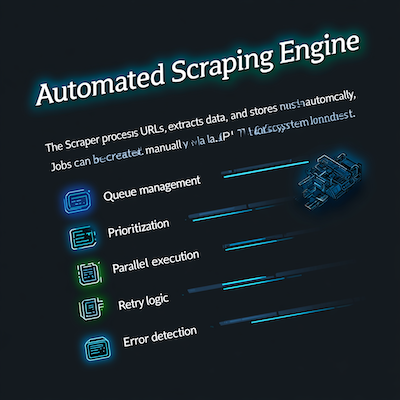
Automated Scraping Engine

The Scraper processes URLs, extracts data, and stores results automatically. Jobs can be created manually or via API, and the system handles:

  • Queue management
  • Prioritization
  • Parallel execution
  • Retry logic
  • Error detection
Automated Scraping Engine

Live Monitoring Dashboard

A real‑time dashboard shows:

  • Running jobs
  • Pending jobs
  • Failed jobs
  • Success rate
  • Attempts
  • Domain distribution
  • Worker activity
  • Performance metrics

This gives users full visibility into the scraping process.

Multi‑Threading / Parallel Processing

Multiple workers run simultaneously, allowing:

  • Faster scraping
  • Higher throughput
  • Distributed load
  • Domain‑based separation

This makes the system suitable for large‑scale data extraction.

Multi Threading

Retry & Error Control

The Scraper automatically:

  • Detects dead jobs
  • Retries failed jobs
  • Logs errors
  • Tracks attempts
  • Prevents duplicate processing

Users can also manually retry or restart jobs.

Retry Control

Commercial REST API

The API allows businesses to integrate scraping into their own systems:

  • Create jobs
  • Check job status
  • Retrieve results
  • Manage queue
  • Monitor performance

This makes the Scraper ideal for automation, SaaS platforms, and backend integrations.

Scraper History & Logs

Every job stores:

  • Input URL
  • Extracted data
  • Status changes
  • Timestamps
  • Error logs
  • Worker activity

Users can review past jobs, debug issues, and analyze performance.


⭐ 3. Who Uses the Scraper?

Businesses

For product data, pricing, competitor monitoring, market research.

Agencies

For SEO analysis, lead generation, content monitoring.

Developers

For automated pipelines, backend integrations, data feeds.

Researchers

For collecting datasets for studies, machine learning, or analysis.

Startups

For MVPs, prototypes, automated data collection, and rapid development.


⭐ 4. Why the Scraper Is Valuable

  • Saves time
  • Reduces manual coding
  • Prevents scraping failures
  • Provides real‑time visibility
  • Scales automatically
  • Offers commercial API access
  • Works across unlimited domains
  • Handles errors intelligently
  • Provides historical insights

It’s not just a scraper — it’s a complete scraping infrastructure.